New AI-Powered Help Center, Microsoft Planner Import, and Increased Personal Productivity
Munich, June 8, 2026 – With the release of InLoox 26.3, InLoox introduces a range of new capabilities for users, administrators, and IT professionals. Key highlights include a completely redesigned InLoox Help Center featuring an integrated AI assistant, direct import of Microsoft Planner plans, and new features that improve personal task management and security.
New AI-Powered InLoox Help Center
With the launch of the new Help Center at docs.inloox.com, InLoox brings all product documentation together in a single, centralized platform for the first time. Users can access documentation for the InLoox Web App, Outlook and Microsoft Teams integrations, mobile apps, the InLoox API, and self-hosted deployments. A powerful full-text search and integrated AI assistant provide fast access to relevant information and answer questions directly based on the official InLoox documentation.
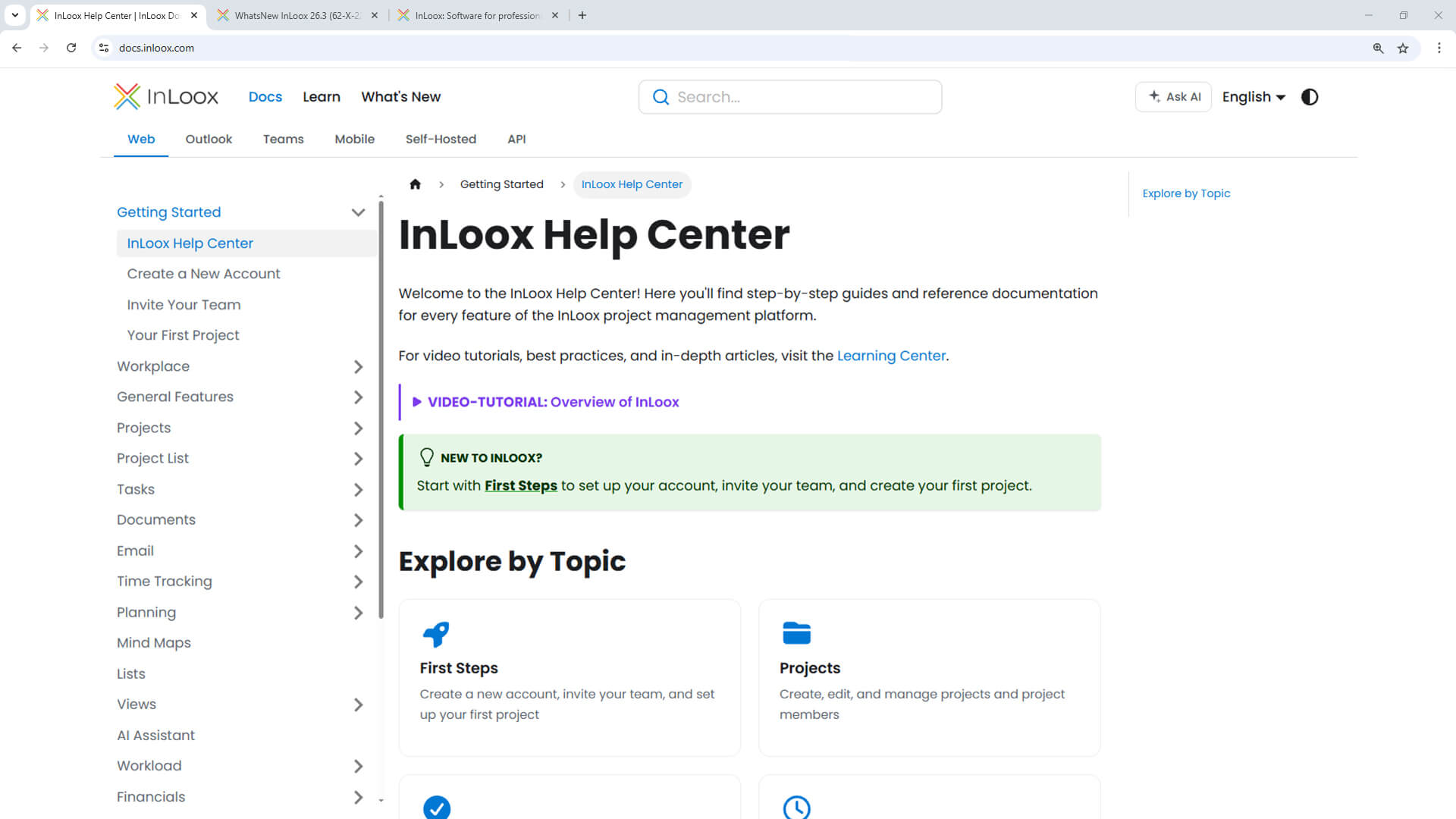
Image: New searchable InLoox Help-Center with AI assistant. © InLoox, Inc.
“Modern software must be intuitive—and when users have questions, answers need to be available instantly,” said Dr. Andreas Tremel, Co-Founder and Managing Director of InLoox GmbH. “Our new Help Center creates a central knowledge hub that helps both users and administrators become productive more quickly. With integrated AI, accessing information becomes as simple as having a conversation.”
Easier Migration from Microsoft Planner to InLoox
Organizations currently using Microsoft Planner can now import existing Planner plans directly into InLoox. After enabling the feature in the Integration Center, selected Planner plans are automatically created as InLoox projects, including all associated tasks.
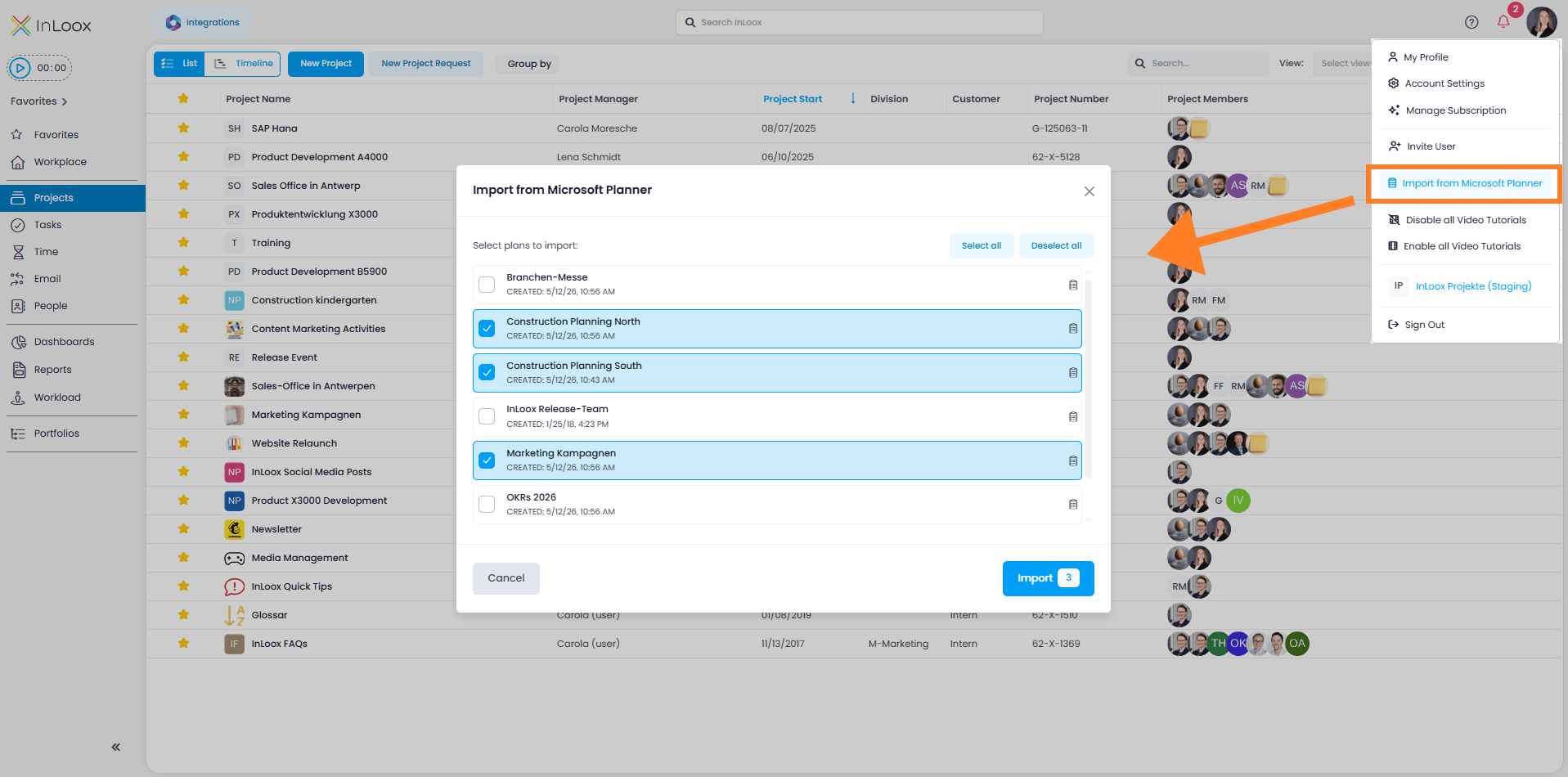
Image: Import Microsoft Planner plans and tasks into the professional multi-project platform of InLoox. © InLoox, Inc.
“Many organizations eventually outgrow simple task lists and basic planning tools and require more powerful multi-project management capabilities,” said Dr. Tiziano Panico, Co-Founder and Managing Director of InLoox GmbH. “Our new Planner import significantly lowers the barriers to adoption. Projects and tasks can be transferred in just a few steps, allowing teams to continue their work without the complexity of a manual migration.”
Increased Personal Productivity with “My Board”
With My Board, InLoox introduces a personal Kanban board that consolidates tasks from all projects into a customized workspace. Users can create their own columns to match their individual workflows and organize tasks across projects without affecting project structures or task statuses.
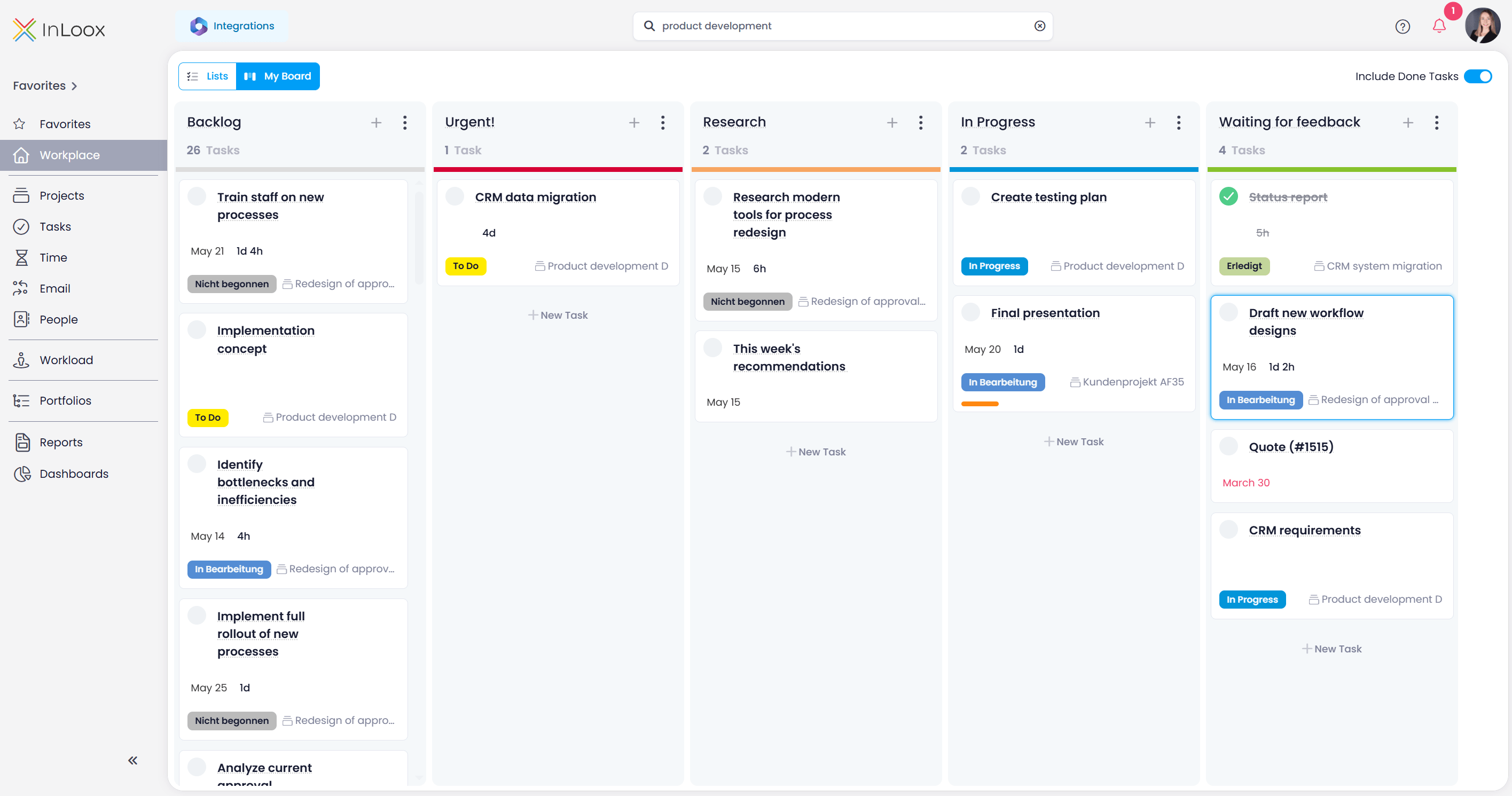
Image: My Board for personal task prioritization of project tasks in InLoox Workplace. © InLoox, Inc.
Stronger Security Through Mandatory Two-Factor Authentication
For organizations with enhanced security requirements, InLoox now offers the ability to enforce two-factor authentication (2FA) for all users. This provides an additional security option alongside mandatory Microsoft 365 sign-in, helping organizations further protect user accounts and project data.
“Security and compliance remain top priorities for our customers,” emphasized Tremel. “By introducing mandatory two-factor authentication, we give organizations additional flexibility to enforce their security policies consistently—regardless of whether they use Microsoft 365 authentication.”
Additional Enhancements in InLoox 26.3
The release also includes numerous improvements for day-to-day project work, including new custom field types, expanded permissions for the People area, multi-select functionality in Kanban boards and time tracking, a new HTML editor for descriptions and comments, and additional SharePoint metadata for documents.
A complete overview of all new features and improvements is available on the InLoox What's New website.