Plan, deliver and decide in one place.
Project and portfolio management, collaboration, resource planning and AI: InLoox brings together what is usually spread across disconnected tools, integrated with Microsoft 365. Everyone works from the same project status, information is entered only once, and your decisions are based on up-to-date figures.





What InLoox does for you, whatever your role.
Set priorities based on current figures.
All initiatives sit side by side with status, budget and dates, so you can see what needs to be prioritized. For the Monday leadership meeting, one look at the dashboard is enough.
Start the right projects at the right time.
You see deviations while there is still time to act, and you schedule new initiatives when they fit the strategy and capacity allows.
Less searching, more done.
Everything that matters is documented: agreements on the task, documents with the project, lessons learned in the knowledge area. New projects start from templates, and AI drafts status reports.
Compliance your IT team can sign off on.
Your IT team doesn’t have to set up another account or a second document store: sign-in runs through Microsoft 365, and documents stay in SharePoint Online. GDPR compliance and independent audits are documented in the Trust Center.
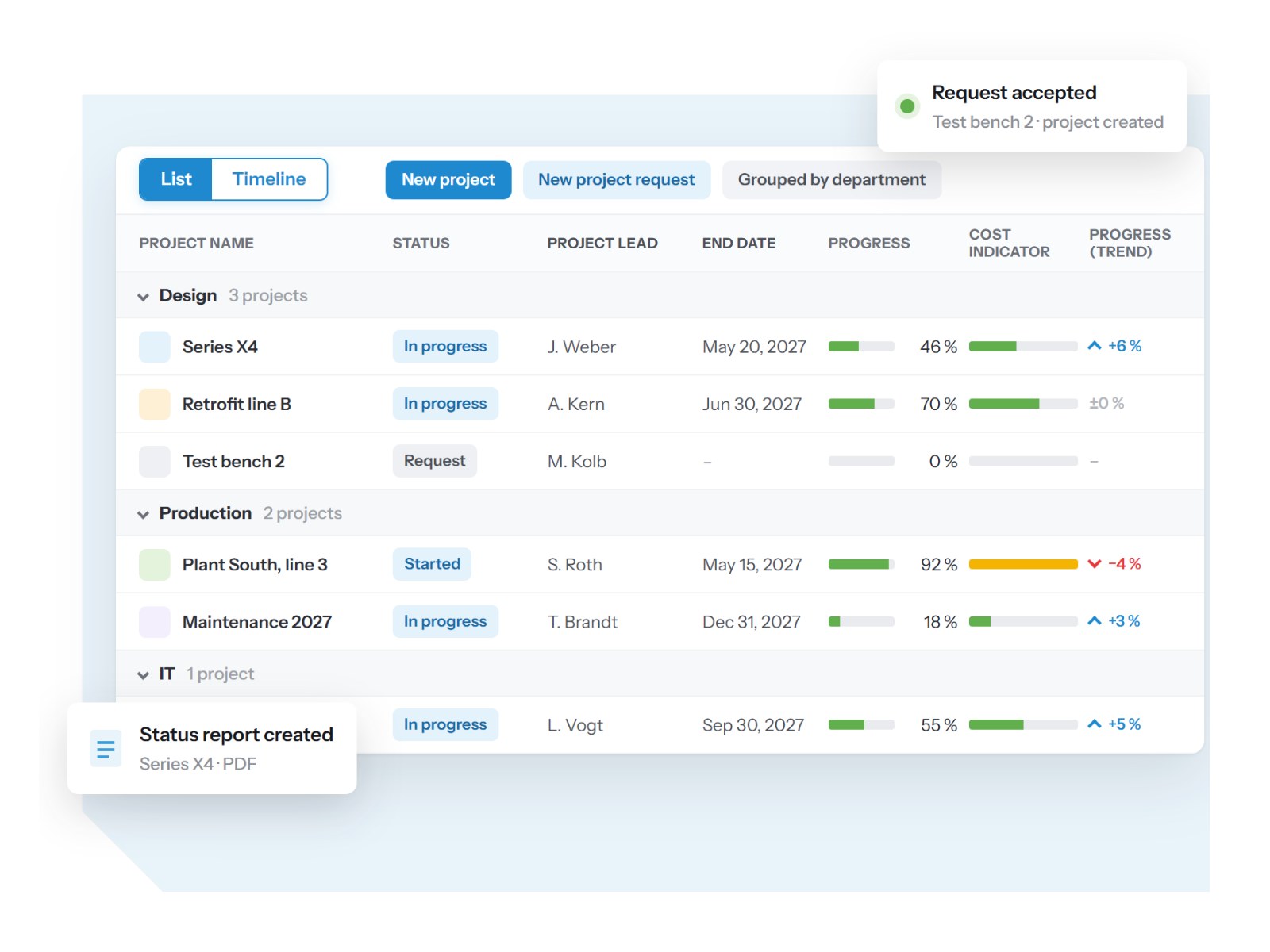
Know where every project stands. And which one comes first.
Project managers and management work with the same figures. Project managers plan realistically and act before a deadline slips. In the portfolio, management decides which initiatives come first.
- If a step moves, the critical path shows whether the end date is at risk.
- Indicators compare cost, progress and effort with the plan as you go, so you can act early.
- Reports come from a single data source at the click of a button, with no figures gathered by hand.
- A proven plan becomes a template, so the next project doesn’t start from scratch.

Fewer follow-ups, more done.
Questions, decisions and documents sit where the work is, on the task. Anyone covering for a colleague, or new to the team, reads the task history and picks up right away.
- Comments and @mentions keep agreements on the task, readable by everyone with access.
- Everyone with access opens the same version of a document, whether it’s stored in InLoox, SharePoint or Teams.
- With InLoox for Outlook, an email becomes a task in the right project.
- The timer runs right on the task, so the hours you bill at the end of the month are accurate.

Know your capacity before projects start.
At the project request stage, you already know whether a new project can be scheduled now or only next month. InLoox works from the planned effort across all projects and factors in vacation, part-time work and, if you like, Outlook appointments.
- Plan by role years ahead and by person for next week, with the same figures.
- Colors show overload before deadlines are missed.
- Plan and workload are linked, so when a date moves, the workload is recalculated right away.
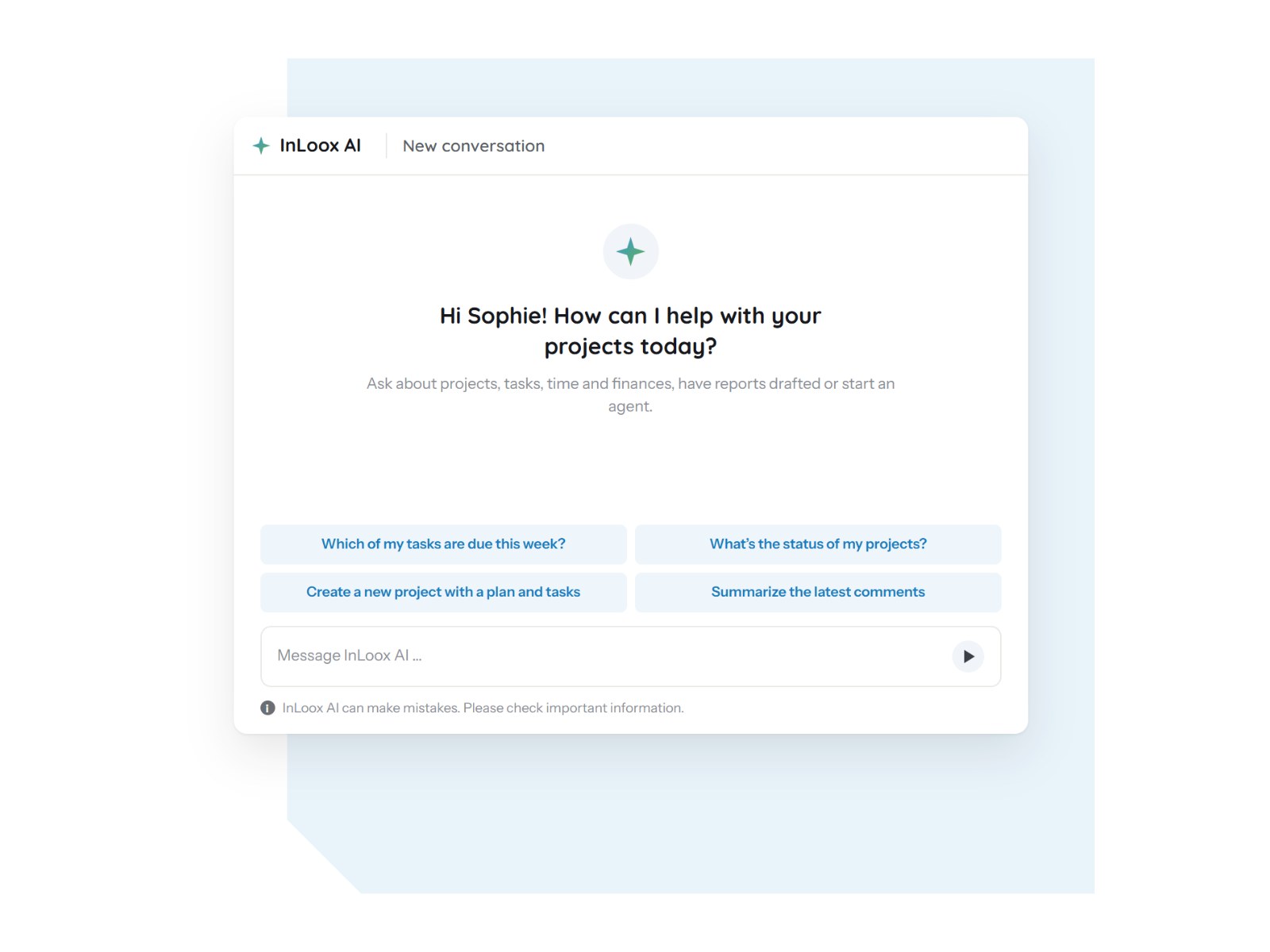
Hand off the routine, keep the decision.
InLoox AI answers questions about the status of your projects, drafts plans and reports or hands recurring work to agents. The decision stays with you, because nothing is applied until you confirm it.
- Budget, deadlines or open tasks: the chat pulls the answer straight from your projects, so you don’t have to gather figures manually.
- From a project description, a quote or a customer email, AI creates a project draft with tasks and dates.
- Agents handle recurring tasks on their own, such as the weekly summary for management.
- Language models are never trained on your project data.
A new initiative, from decision to final report.
Here’s how the four core features work together when a new project comes up.
Is there capacity?
The initiative is ranked in the priority list, and you see right away whether the people and teams involved have room.
A plan in minutes.
A template turns into a plan with tasks and milestones. The multi-project view shows where it overlaps with other projects.
Everyone up to date.
The team works through the tasks, aligns in comments and files documents in the project. Project progress is recorded automatically.
Reports write themselves.
The weekly overview is ready on Monday. AI drafts the customer update from real project data.
All four work from the same project data. What one step produces is ready for the next.
Your teams work without switching tools.
InLoox is integrated into Microsoft 365. Your teams continue to work in Microsoft Outlook and Microsoft Teams, file relevant information in InLoox as tasks, documents or working time, and project metrics flow into Power BI. You connect other systems through the API or an MCP server.

Microsoft Outlook

Microsoft Teams

SharePoint

Power BI

MCP server and API
All integrations
How customers succeed with their projects.

Talk to an expert.
Try InLoox with your team for 14 days, or let us show you which core feature makes the biggest difference for you.