Language
Default language für entire account
As of InLoox version 11.11, you can define a standardized language for your InLoox account. This language is also used for notifications and invitation emails. Select from the following default languages:
- English
- German
- French
- Italian
- Spanish
- Polish
InLoox users with administrator rights can change this account setting:
- In InLoox, click on your profile picture.
- Click on Account Settings.
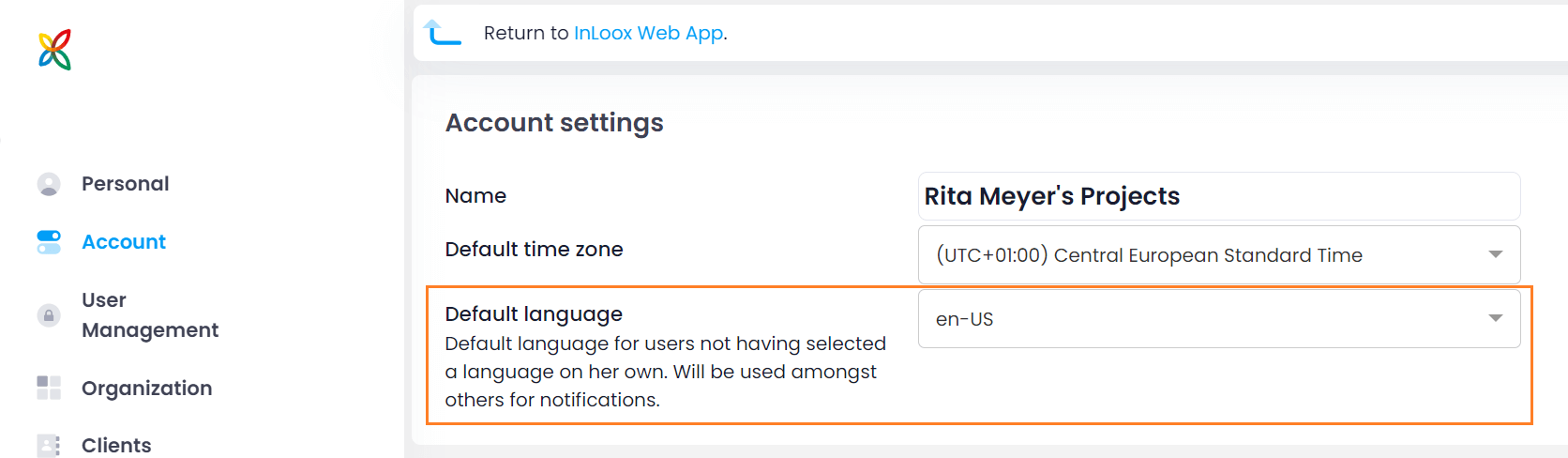
- In the menu on the left, click on Account.
- Under Default language, you can now select the language that should be set by default for all users of this InLoox account. NoteThe default language applies to users who have not yet selected a personal language.
Set personal language
Since InLoox 11.16, users can select the following languages:
- English
- German
- Spanish
- French
- Italian
- Polish
Every InLoox user can adjust the language personally.
- In InLoox Web App, click on your profile picture at the bottom left.
- Click on My Profile.
- Click on the Settings tab.
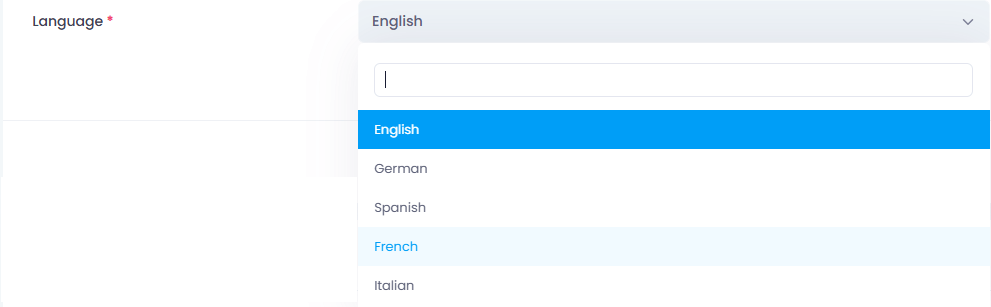
- Under Profile Details under Language, you can now select the desired language from the drop-down menu.
InLoox saves the change automatically.
For more details on user profile settings, read the help article InLoox User Profile Settings.
Tip for international companies with distributed teams
Set the default language of your InLoox account to English. This is because the invitation emails that new users receive automatically are sent in the selected default language.
As soon as the new users have accepted the invitation to the InLoox account, they can change the personal language settings.