Documents
The Documents section serves you as a document repository, where you can store and manage documents as well as create folders.
You can find the Documents section within a project, in the Documents tab:

Set up folder stucture in new projects
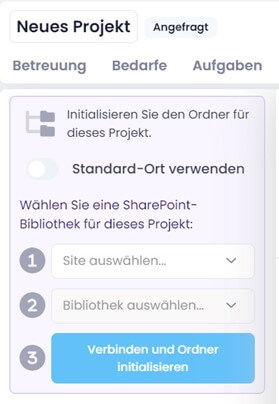
When you have created a new project, you must initialize the folder structure at the beginning.
Since version 11.13, you can decide whether the default location defined in the settings should be used for this or - if you have connected SharePoint Online - an individual SharePoint site & library (e.g. a Microsoft Teams channel) should be used as an alternative.
Make your choice and then click on the Initialize or Connect and initialize folder button: